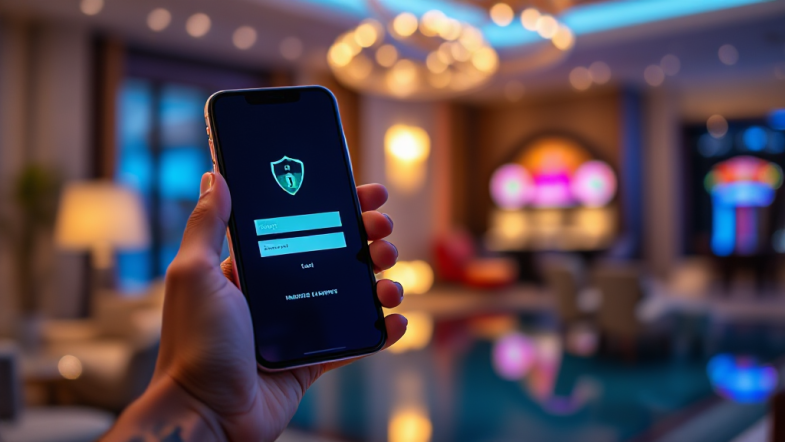
Security Habits for Keeping Your tk999 Account Safe
Account security on any betting platform is rarely decided by a single clever tool. It is decided by habits — the small, repeated choices you make every time you log in, install an app, or answer a message. For users of tk999, the practical reality is simple: the strongest protection is a routine you actually follow, not a feature you enable once and forget. This guide walks through the habits that matter most, in the order they tend to protect you. None of them require technical expertise. All of them require consistency.
Habit One: Treat Your Password as a Long-Term Commitment
Most account compromises do not involve sophisticated hacking. They involve a password that was reused somewhere else, guessed from personal details, or quietly exposed in a breach on an unrelated website. The first habit, then, is to treat your tk999 password as something that belongs only to tk999.
Reusing a password across a betting account and, say, an email address or a shopping site creates a chain reaction. If the weaker site leaks, the leaked credentials get tested against gaming platforms almost immediately, because those accounts are considered valuable. A unique password breaks that chain. It does not need to be a chaotic string of symbols you can never recall; a long passphrase of four or five unrelated words is both stronger and easier to remember than a short jumble.
The second part of this habit is knowing when to change it. Changing a password on a fixed calendar schedule is less useful than changing it after a specific trigger: a notification of unusual login activity, a device you no longer control, or a public breach at another service where you used the same credentials. When you do change it, change it everywhere it was reused, not just on the betting platform.
Finally, never store the password in a plain notes app, a chat message to yourself, or a screenshot. If you need help remembering, use a reputable password manager and protect that manager with its own strong passphrase. The goal is not to memorise everything; it is to make sure no one else can read it.
Habit Two: Lock the Devices That Already Trust You
The most overlooked security gap is not the platform — it is the phone in your pocket. If your device is unlocked, anyone holding it can open the app, view account details, and potentially move funds. Device locking is therefore not an optional convenience feature; it is the second layer of defence behind your password.
Use a biometric lock or a strong PIN rather than a simple swipe pattern. Avoid obvious codes such as birth years or repeated digits, and avoid using the same PIN you use for your bank card. If your device supports it, enable automatic locking after a short idle period so that a forgotten phone on a table does not remain open indefinitely.
There is also a habit around who else uses your device. Sharing a phone with family members or friends is common, and it is fine — as long as the betting app itself is not left logged in and accessible. Log out when you hand the device over, or keep the app behind its own lock if the platform offers one. The principle is straightforward: physical access to an unlocked device is functionally equivalent to knowing the password.
Keep the operating system and the app updated as well. Updates frequently patch security flaws that attackers actively look for. Delaying them for weeks because the notification is annoying is a habit worth breaking.
Habit Three: Recognise Phishing Before You React
Phishing is the most common way credentials are stolen, and it rarely looks like a clumsy scam anymore. Messages arrive that imitate official communication, reference your account, and create urgency — a problem with your balance, a verification step, a limited-time bonus. The habit to build is a pause: never act on account-related instructions that arrive through an unsolicited message.
Look at the sender address rather than the display name. Display names are trivially spoofed; the underlying email domain is harder to fake convincingly. Be suspicious of links that use slightly altered spellings, unusual domain endings, or shortened URLs that hide the real destination. If a message asks you to log in through a link, close it and navigate to the platform yourself through your own bookmark or app. That single habit defeats the majority of credential-harvesting attempts.
Be equally careful with messages on social platforms and messaging apps. A friendly tone, a familiar logo, and a promise of fast withdrawals are all easy to imitate. No legitimate platform needs your password, your one-time code, or your full card details over chat. Anyone who asks for those is not helping you.
If you are ever unsure whether a message is genuine, verify through a channel you initiated. Open the app directly, check your account status, and contact support from within the platform. Verification that you start is trustworthy; verification that someone else pushes you toward is not.
Habit Four: Keep One-Time Codes and Personal Data Private
One-time codes exist precisely because passwords alone are not enough. That makes them the most sensitive piece of information tied to your account. The habit here is absolute: a one-time code is never shared, never read aloud, never typed into a page you reached through a link in a message.
It is worth understanding why. If someone already has your password, the one-time code is the final barrier between them and your account. A caller who claims to be from support and asks you to confirm the code is not verifying your identity — they are completing a login on their own device. The same applies to screenshots: a screenshot of a code or a login screen can be reused within its validity window.
Personal data deserves similar restraint. Your full name, date of birth, and payment details are the raw material for impersonation and account recovery abuse. Share them only inside the platform’s own verified processes, and be sceptical of any request that arrives out of the blue, however official it sounds.
This habit also covers what you post publicly. Publicly visible details about your gaming activity, your device, or your location can be used to make a phishing message far more convincing. Discretion online is a security measure, not just a privacy preference.
Habit Five: Pay Attention to Payment and Withdrawal Behaviour
Money movement is where security failures become expensive, so the habits around payments deserve their own attention. Start by using payment methods you can monitor. A method with clear transaction records and notifications lets you spot anything unexpected quickly, rather than discovering it weeks later.
Check your transaction history periodically, not only when something feels wrong. Regular review builds a mental baseline, so an unfamiliar entry stands out immediately. If you see activity you do not recognise, act on it the same day — change your password, review active sessions if the platform shows them, and contact support through the official channel.
Be cautious with any request to send money outside the platform’s normal process, especially to an individual account or through a channel that leaves no record. Legitimate operators process withdrawals through their own systems. Pressure to move quickly, unusual payment instructions, or requests for additional fees paid separately are all warning signs worth taking seriously.
It also helps to keep the number of places your payment information is stored to a minimum. The fewer services holding your card or account details, the smaller the surface area for a leak to affect you.
Habit Six: Build a Routine of Periodic Review
Good security is not a state you reach; it is a routine you maintain. The final habit is to set aside a short, regular moment to review your account with fresh eyes. Once a month is usually enough for most users.
During that review, confirm that your contact details and recovery information are current — an outdated email address can lock you out of your own account at the worst possible moment. Check whether any devices or sessions you do not recognise are still active, and remove them. Revisit your password if it has been reused anywhere or if you have logged in on a shared or public device since the last review.
Include the app itself in this routine. Confirm you are using the official download source rather than a third-party link, keep it updated, and remove it from any old device you no longer use. An app left installed on a discarded phone is an open door if that phone is resold or handed on.
Finally, treat security as a habit shared with the people around you. If someone in your household also uses the platform, agree on separate accounts rather than sharing one, and agree not to share codes or passwords between you. Separate accounts keep responsibility clear and limit the damage if one set of credentials is ever exposed.
None of these six habits is dramatic on its own. Together, they form a routine that closes the gaps attackers rely on: reused passwords, unlocked devices, impulsive reactions to messages, shared codes, unmonitored payments, and accounts left unexamined for months. The platform provides the tools, but the habits are yours to keep — and they are what actually keep a tk999 account safe over time.